




Cloud fax runs as an internet-based service. Fax servers run on your own hardware. Many regulated organizations are moving this year to cloud, and many organizations are choosing it as their first move, but the decision has real trade-offs and a narrow set of cases where on premise still wins.
Fax is still a working part of healthcare, legal, finance, and government workflows. Patient records, signed contracts, claims documents, and legal filings move by fax every day, often because a downstream sender still requires it. The question for IT teams is not whether to support fax. It is how.
This buying guide for business compares cloud fax and fax servers across cost, maintenance, security and compliance, flexibility, and reliability. It also covers the hybrid path that lets teams keep existing fax machines while moving the underlying infrastructure to the cloud.
FaxSIPit builds a HIPAA-compliant cloud fax service for healthcare, legal, finance, and government business teams. FaxSIPit's SecureFax-ATA hardware service lets organizations keep existing fax machines and numbers in place while moving the underlying transport to TLS-encrypted cloud, and the platform has signed BAAs at scale since 2011.
Key Takeaways
Cloud fax eliminates hardware, phone lines, and most IT burden. A monthly subscription replaces capital spend on servers, fax boards, and licenses.
Fax servers retain full internal control but require ongoing investment. Hardware refresh cycles, patches, consumables, and carrier troubleshooting sit with your team.
HIPAA compliance is no longer a reason to stay on premise. Reputable cloud fax service providers and online faxing services sign Business Associate Agreements and encrypt and secure fax traffic with TLS 1.3 in transit and AES 256-bit at rest.
Very high volume can flip the cost math. Thousands of DIDs and millions of pages monthly may justify on premise or cloud fax with Bring Your Own Carrier.
Hybrid deployments let you keep existing fax machines. An analog telephone adapter (ATA) bridges physical equipment to encrypted cloud infrastructure.
Quick Comparison at a Glance
Cloud fax is the default for most organizations in 2026. A fax server solution remains viable only for a narrow set of enterprise-scale or specialized-compliance environments.
Dimension | Cloud Fax | Fax Server |
|---|---|---|
Costs | Predictable monthly subscription costs, no upfront hardware | Capital expense costs for hardware, licenses, and telephony, plus ongoing maintenance |
Maintenance | Provider manages infrastructure, updates, and redundancy | Internal IT manages on premise servers, fax boards, patches, and consumables |
Security / Compliance | TLS-encrypted transport, BAA available, audit trails built in | Full internal control, traffic stays inside the network perimeter |
Flexibility | Send and receive faxes from browser, email, mobile, API, Teams, Zoom | Tied to office network and attached machines |
Reliability | Multi-carrier redundancy, geographic failover, automated retry | Dependent on local power, local internet connection, and a single telephony provider |
What Is Cloud Fax?
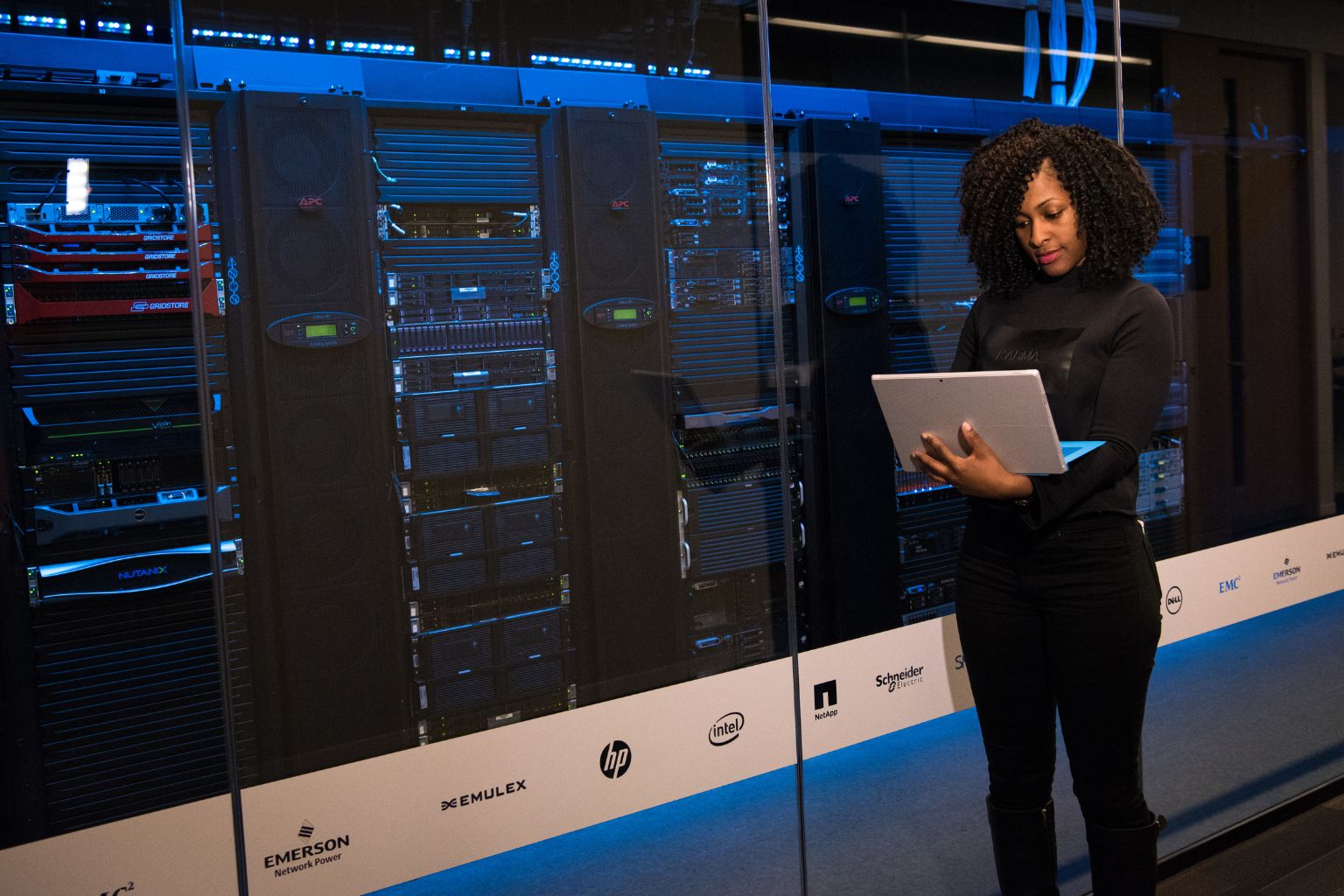
Cloud fax is an internet-based fax service. The fax service that sends and receives documents over encrypted IP connections instead of analog phone lines. The provider runs the fax infrastructure. You connect through a browser, email, mobile app, desktop print driver, or API.
The same service shows up under several names: cloud fax, online faxing services, online fax, hosted fax, fax as a service, and digital fax. All refer to a SaaS model where the fax servers, telephony, and delivery logic sit with the provider.
Moving fax to cloud eliminates on-site fax servers, fax boards, PRI and T1 circuits, dedicated copper lines, toner, and paper documents. Users send a fax by attaching email attachments such as a file, uploading documents through a web portal, printing documents to a virtual fax driver, or calling a REST API from an internal application that handles documents.
FaxSIPit runs a dedicated cloud fax platform, purpose-built for fax traffic rather than a general cloud platform with fax bolted on. That matters because fax depends on specific protocol timing and carrier handling that general-purpose cloud platforms were not designed for.
What Is a Fax Server?
A fax server is software running on on premise or virtualized hardware that handles fax transmission inside your own server environment, in a controlled environment. It connects to the phone network from premises through dedicated fax boards, SIP trunks, or legacy T1 or PRI circuits, and to users through a local network.
Common on premise fax server solutions include RightFax, Biscom, XMedius, Faxcom, and FaxFinder. Each runs on Windows Server or Linux, either on bare metal or inside a VM, and typically relies on specialty fax hardware like Brooktrout, Dialogic, or Sangoma fax boards.
A fax server is more than the application. Running one requires rack space, power, cooling, backup infrastructure, monitoring tools, a carrier relationship, internal resources, and an IT team that understands T.30 fax signaling, T.38 or G.711 fax-over-IP transport, and Session Border Controller (SBC) configuration for SIP-based deployments.
The upside: every byte of fax traffic stays inside your perimeter until it leaves the building. The downside: every ounce of responsibility for that traffic also stays on premises with your team.
Costs and Total Cost of Ownership
Cloud fax runs on a predictable monthly subscription with no upfront hardware. Fax servers involve capital expense up front plus recurring costs for licenses, telephony, and maintenance. For most mid-sized organizations, cloud fax is cheaper over a 3-year cost horizon.
The costs of a fax server break into four buckets:
Capital costs: server hardware, fax boards, software licenses, telephony equipment, and installation labor
Fixed costs: phone line fees, facility and power, annual license renewals
Variable costs: paper supplies, paper records, toner, carrier per-minute charges, replacement hardware costs
Opportunity costs: IT hours spent maintaining fax instead of working on higher-ROI projects
Cloud fax collapses the first three into a single subscription line item, simplifying total costs. Opportunity costs shift to the provider. A mid-sized fax server solution commonly involves tens of thousands of dollars in upfront capital plus monthly operating costs and recurring costs. A cloud fax service covering similar capacity typically bills in the hundreds to low thousands per month.
The cost math does flip at extreme scale. Organizations moving hundreds of DIDs and hundreds of thousands of pages monthly may find that per-page cloud pricing runs higher than fixed-line economics on an existing carrier contract. In those cases, cloud fax with Bring Your Own Carrier (BYOC) is worth evaluating before assuming on premise is the cheaper answer.
Another force is pushing the math: the FCC's Order 19-72 relieved local carriers of the obligation to maintain legacy copper lines at regulated rates. T1 and PRI costs are climbing as carriers retire analog infrastructure. Organizations still depending on copper for fax are paying more every renewal cycle.
Maintenance and IT Burden
The maintenance burden of on premise fax is often underestimated.
Cloud fax removes almost all day-to-day maintenance. Fax servers require ongoing IT attention for operating system updates, security patches, fax board replacements, consumables, and carrier troubleshooting.
The burdens unique to on premise fax add up:
Fax board hardware from vendors like Brooktrout, Dialogic, or Sangoma has its own lifecycle and failure modes
T.30 and T.38 protocol troubleshooting for failed fax transmissions
Session Border Controller configuration and maintenance for SIP-based deployments
Toner, paper, paper supplies, and physical upkeep for any multifunction devices (MFDs) still in the field
Fax-specific expertise that is increasingly hard to hire for
Fax quality on a changing network is its own moving target. Carriers regularly upgrade and modify their networks, and those changes are typically optimized for voice traffic — fax tolerances are tighter, and what works for a phone call can introduce timing issues, packet loss, or codec mismatches that degrade fax transmissions. Being tied to a single provider means a single point of failure: the IT team has to stay aware of upstream carrier changes and actively manage that relationship to keep fax quality and reliability consistent. Cloud fax with multi-carrier routing absorbs that variability on the provider side, rerouting around carrier paths that drift away from clean fax handling.
Sysadmins running on premises fax consistently describe the IT support burden as painful and time-consuming. Fax boards fail. Carriers change signaling. SIP sessions drop. Every one of those events generates a ticket that only a fax-literate engineer can close.
Cloud fax moves updates, redundancy, carrier management, and hardware lifecycle to the provider. Your team manages user access and workflow integration. The hidden maintenance costs of an aging on premises platform usually exceeds the subscription fee for a modern cloud fax service by a wide margin.
Security and Compliance

Cloud fax can be fully HIPAA-compliant when the provider uses TLS to secure traffic, signs a Business Associate Agreement (BAA), and produces full audit trails. Fax servers deliver compliance through network-perimeter control, but require the organization to build and maintain every safeguard internally.
HIPAA's Security Rule at 45 CFR § 164.312 sets the technical safeguards covered entities must implement: access controls, audit controls, integrity controls, person or entity authentication, and transmission security. Encryption in transit is listed as "addressable" under §164.312(e)(2)(ii), which does not mean optional. Addressable means the organization must implement it if reasonable, and for fax over IP, it always is.
A decade ago, "cloud fax is not HIPAA-compliant" was a defensible position. That has changed. Reputable cloud fax providers now sign BAAs as standard, encrypt fax traffic with TLS, maintain full delivery records, and offer configurable storage and retention policies as part of the fax service. The compliance question has shifted from "can cloud do this" to "does this cloud provider do this correctly."
The stakes are high. In 2025, 642 healthcare data breaches affecting 500 or more individuals were reported to the HHS Office for Civil Rights, affecting roughly 57 million people (HIPAA Journal). The IBM Cost of a Data Breach Report puts the global average cost at $4.44 million, with healthcare breaches averaging $7.42 million, the highest of any industry for 14 years running.
Cloud fax service and online faxing services typically support the compliance frameworks regulated industries live under: HIPAA for healthcare, GLBA and PCI-DSS for finance, GDPR for international data, and FERPA for education.
FaxSIPit is a HIPAA-compliant cloud fax service for regulated industries, with AES 256-bit encryption at rest and TLS 1.3 for data in transit, configurable storage and retention up to 7 years, full audit trails, and BAA signing on every plan from Starter to Enterprise.
Flexibility and Remote Access
Cloud fax lets users send and receive faxes from anywhere, through a browser, mobile app, email, or inside tools like Microsoft Teams, Zoom, and Google Workspace. Fax servers typically require users to be on the corporate network or connected through VPN.
For a distributed or hybrid team, that difference shapes the whole workflow. A nurse can send referral documents by fax from Epic. An intake coordinator can receive an insurance fax straight into their email. A legal assistant can drop signed documents into a Microsoft Teams chat and fax from there. None of these require a physical fax machine, a VPN, or a desktop client.
Cloud fax platforms expose several paths for sending faxes:
Web portal for ad-hoc fax documents
Email-to-fax using the recipient's fax number as the email address
Mobile app for field staff and remote customers
Virtual print driver that sends whatever the user is viewing — FaxSIPit ships a printer driver / installable desktop fax client for users who want to send a fax the same way they print
REST API for automated workflows, integration, and API features
Secure file delivery over SFTP for systems that batch documents into a drop folder
Native integrations, integration features, and connector features inside Microsoft Teams, Zoom, Outlook, Google Workspace, and Microsoft Copilot
FaxSIPit also ships a native Epic integration so clinical teams can send and receive faxes directly from patient charts to intended recipients, without a separate fax application.
Reliability and Uptime
Cloud fax services maintain high uptime through geographic redundancy, intelligent and reliable retry across multiple carriers, automated failover, and disaster recovery. Fax servers are vulnerable to local power outages, internet issues, hardware failures, and single-carrier dependency.
An on premise fax server depends on three things you control: local power, local internet, and a single telephony provider. And one thing you don't: physical equipment that will eventually fail. When any one of those fails, the fax queue stops.
A cloud fax provider with multiple carriers and multiple data centers can reroute traffic automatically. A failed path triggers a retry on a different carrier. Outbound faxes queue and retry. Inbound faxes still land on the provider side, then deliver to the user through email or portal when they reconnect.
Cloud fax is not immune to the internet. If the provider is up but the site's internet is down, users at that site can't send or receive in real time. But received faxes still queue on the provider side for delivery once connectivity returns, which is more than a fax server with a downed phone line offers in a disaster recovery sense — one of the benefits of cloud.
FaxSIPit runs on a dedicated fax network with intelligent multi-carrier retry. A failed path reroutes to an alternate carrier before the fax fails, which matters in settings where missed fax transmissions carry legal, regulatory, or patient-safety consequences. See our fax reliability service guidance for regulated industries for more.
Scalability
Cloud fax scales elastically. Add users or volume through subscription changes. Fax servers scale through capital investment: more hardware, more phone lines, more port licenses.
Fax volume is rarely consistent. A medical billing team sends more claims at month-end. A law firm processes more filings at quarter-close. An insurance office spikes during open enrollment. On premises capacity must cover the peak, which means hardware and line capacity sit underused for most of the year.
Cloud fax absorbs that variability on the provider side. A spike month uses more pages — you pay for what you use. A quiet month uses fewer. The bill follows the volume.
At true enterprise scale, enterprise fax solutions may combine cloud infrastructure with dedicated-tenancy deployments to control elasticity, performance, and business needs without rebuilding an on premises platform.
When a Fax Server Still Makes Sense
A fax server still makes sense when the organization has very high volume, a hard regulatory requirement to keep fax communications inside the network perimeter, or an existing carrier contract on premises that outperforms per-page cloud pricing. These solutions are real, but narrow.
Specifically:
Very high volume with existing carrier contracts. Thousands of DIDs and a large amount of pages — hundreds of thousands monthly — where fixed-line economics on an existing carrier contract beat per-page cloud pricing.
Air-gapped or classified environments. A controlled environment matters. Some federal, defense, and intelligence systems are not permitted to route any traffic through commercial cloud providers.
Specific regulatory mandates. A small number of state or sector rules require in-house handling of documents with no third-party custody.
Deep custom integrations. Workflows built directly against an on premise fax API that would cost more to port than to maintain.
Even in these cases, a middle path usually exists. BYOC (Bring Your Own Carrier) lets an organization use its own carrier contracts and phone lines while routing through a cloud fax platform's management, compliance, and redundancy layer. Dedicated-tenancy cloud deployments can satisfy some in-house security mandates that were originally written for on premises systems. Before committing to on premises, the hybrid and BYOC options are worth a direct look.
The Hybrid Option: Keep Existing Fax Machines, Modernize the Infrastructure
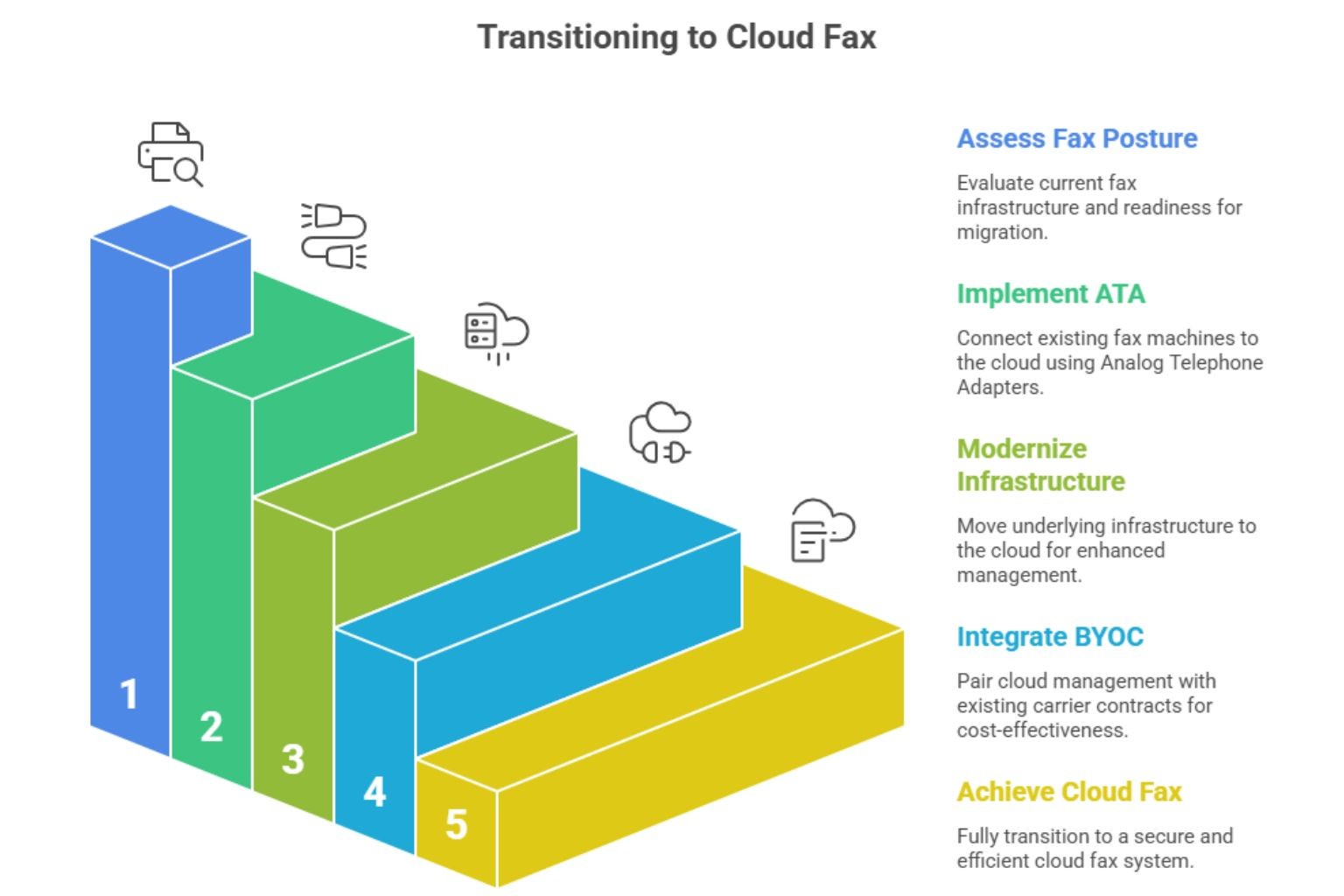
A hybrid model deployment keeps existing fax machines and numbers in place while moving the underlying infrastructure to the cloud. An analog telephone adapter (ATA) connects physical fax machines to encrypted cloud fax infrastructure over the internet.
Rip-and-replace migrations are expensive and disruptive. A legal office with 30 fax machines, a hospital with 200, or a municipal government with MFDs in every department are not going to retire that hardware overnight. Users trained on those machines for years don't want to switch workflows. Shared fax numbers on specific machines are tied to compliance routing rules.
In plain English, Faxsipit's ATA is a small device that plugs into an existing fax machine on one side and connects to the cloud fax platform over HTTPS on the other side. The fax machine works exactly as before. The cloud platform handles transmission, delivery, retention, storage, and audit logging.
BYOC can pair with a hybrid deployment. Enterprise-scale organizations keep their existing carrier contracts while gaining cloud management, compliance controls, multi-carrier failover, and centralized reporting. The cloud platform becomes the control plane. The carrier contract handles the volume economics.
FaxSIPit's SecureFax-ATA is a proprietary adapter that bridges existing fax machines to our secure cloud fax infrastructure over HTTPS, preserving numbers, routing rules, and user workflows. For teams planning a move, our guide on how to modernize legacy fax infrastructure as a service covers the ATA model in depth, and our white paper on how to assess your fax posture walks through the readiness questions to answer before migration.
How to Choose: 5 Questions to Answer
Answer these five questions to clarify which direction fits your business. Cloud fax is the default answer for most teams. A fax server or hybrid deployment earns its place in specific situations and solutions.
What is your monthly fax volume?
Under 50,000 pages per month points straight to cloud fax. The math works on any reasonable plan.
Between 50,000 and 500,000 pages per month still favors cloud, usually on a volume or enterprise tier.
Above 500,000 pages per month, where the cloud fax service handles many DIDs, volume matters — but it doesn't automatically point on premise. At enterprise scale, negotiated per-page rates and BYOC arrangements can keep TCO calculations in cloud's favor against the cost of maintaining a 24/7 server environment in a hospital or similar facility. On premise, cloud with BYOC, and negotiated cloud pricing should all be evaluated in detail before assuming any one wins. Contact us for a custom quote at this volume.
Do you have a regulatory mandate to keep fax traffic in-house?
If the answer is yes and the mandate is specific and written (not assumed), a fax server or a hybrid with dedicated tenancy may be the right fit.
If no, cloud fax with a signed BAA covers HIPAA and most other compliance frameworks without keeping the traffic in-house.
Are you trying to eliminate physical phone lines?
Yes points to cloud fax. No copper, no PRI, no SIP trunk management inside the building.
No (keeping existing lines via BYOC) still works with cloud, though copper POTS is being decommissioned by major carriers on timelines targeting 2027 — even BYOC setups will eventually need to move off copper. The subscription manages the platform. The carrier contract handles the lines.
Do you have existing physical fax machines or MFDs you want to keep?
Yes points to a hybrid deployment with ATAs. The machines stay. The infrastructure moves.
No points to pure cloud, with users sending faxes and receiving entirely through browser, email, API, or integrated apps.
Which applications need workflow integration?
Microsoft Teams, Zoom, Epic, Outlook, Google Workspace, and Microsoft Copilot are all covered by cloud fax with pre-built integrations, integration support, and connector features.
For a custom in-house application, check for REST API support. Most enterprise cloud fax platforms expose one, with vendor support included.
Migration Considerations
Migrating from a fax server to cloud fax takes longer than teams expect. Realistic planning covers number porting, integrations, user training, and a parallel-run period before the fax server shuts down.
The main moving parts:
Local Number Portability (LNP). Moving existing fax numbers to the cloud provider. Timelines range from 2 to 6 weeks, depending on the losing carrier.
Integrations. Re-wiring existing electronic health records (EHR), CRM, or document management workflows to send and receive faxes through the new platform.
User training. Minimal for cloud fax where email-to-fax is the main path. More involved for hybrid deployments that add an ATA layer.
Parallel-run period. Keep the fax server live for 30 to 90 days after cutover. Some downstream senders take time to route to the new infrastructure, and parallel-run catches the stragglers.
POTS sunset context. Carriers are phasing out copper under FCC Order 19-72, shaping the future. Migration is happening whether your team drives it or not. Starting before the carrier forces a cutover gives you control over the timing.
Frequently Asked Questions
Is cloud fax HIPAA compliant?
Yes, when the provider signs a Business Associate Agreement, encrypts fax traffic with TLS, maintains audit trails, and supports configurable retention. HIPAA's Security Rule at 45 CFR § 164.312 requires access controls, audit controls, integrity controls, and transmission security. Any cloud fax provider supporting healthcare workflows should deliver all four and sign a BAA. See our HIPAA compliance page for the full set of safeguards.
Can cloud fax replace an existing fax server?
Yes. Cloud fax services and online faxing services include number porting, business email and API integrations, and in many cases analog telephone adapters that let existing fax machines keep working without replacement. Most fax-server replacements complete service migration in 30 to 90 days including parallel-run.
What is the difference between cloud fax and a hosted fax server solution?
Cloud fax is a multi-tenant service run by the provider. A hosted fax server is a single-tenant fax server application running on a provider's infrastructure but dedicated to one customer. Hosted fax server solutions keep the fax-server software model while shifting the hardware off-site. Cloud fax goes further by sharing infrastructure across customers, which is how the cost and elasticity benefits show up.
Do I keep my fax numbers when switching to cloud?
Yes. Local Number Portability (LNP) lets you transfer existing fax numbers to the cloud provider. Porting typically takes 2 to 6 weeks, depending on the losing carrier.
Is a fax server still worth running in 2026?
Only in specific cases, including very high volume with existing carrier contracts, air-gapped environments, or narrow regulatory mandates requiring in-house document handling. For most organizations, cloud fax delivers equivalent compliance with lower cost and far less maintenance.
The Bottom Line
Cloud fax is the default for most regulated organizations in 2026. It removes hardware, phone lines, and most of the IT burden, while delivering HIPAA compliance through TLS encryption, BAAs, and audit trails. Fax servers remain a fit for very high volume with carrier contracts, air-gapped environments, and a narrow set of regulatory mandates. Hybrid deployments let teams keep existing fax machines and numbers in place while modernizing the infrastructure underneath.
FaxSIPit runs a HIPAA-compliant cloud fax service built for healthcare, legal, finance, and government business teams where a failed fax carries legal, regulatory, or patient-safety consequences. The platform powers fax communications for 300+ channel partners across 40+ countries, including Zoom's ISV Exchange, and supports pure cloud solutions, hybrid solutions, hybrid deployments with SecureFax-ATA hardware, and BYOC for enterprise customers, so the decision does not have to be binary.
For a custom-fit business assessment, get a custom service quote or explore the cloud fax solution service in detail.