




Law firms need a fax service that encrypts privileged documents in transit, produces audit trails that satisfy bar association standards, and ports existing fax numbers without disrupting court filings. Most online fax providers treat legal as an afterthought, offering the same product they sell to real estate agents and small retailers.
We reviewed eight cloud fax services on the criteria that matter to legal practices: encryption standards, BAA availability, audit trail depth, number porting, and integration with the tools attorneys already use.
Key Takeaways
Attorney-client privilege requires an encrypted transmission. ABA Formal Opinion 477R establishes a "reasonable efforts" standard for electronic communication of client information. Sending privileged documents over an unencrypted fax line does not meet that standard.
BAA on every plan matters for PI and med-mal firms. If your practice handles personal injury, medical malpractice, or workers' compensation cases, faxes contain protected health information. A vendor that gates BAA behind enterprise pricing creates a compliance gap on day one.
Number porting is non-negotiable. Your fax number appears on court filings, opposing counsel contact sheets, and client intake forms. Any service that cannot port your existing number forces an operational disruption that no firm needs.
Physical fax machine migration is a real requirement. Some courthouses, government agencies, and opposing counsel offices still send paper faxes. Services with ATA hardware adapters bridge existing machines to an encrypted cloud without replacing them.
Pricing ranges from free to $100/mo. Most solo and small firm attorneys pay $10 to $40/mo for 200 to 1,000 pages.
What Law Firms Should Look for in a Fax Service

The evaluation criteria for a law firm differ from a general business buyer. Every feature maps back to one question: Does this protect the firm and its clients?
Encryption for privilege protection. ABA Formal Opinion 477R requires attorneys to make "reasonable efforts" to prevent unauthorized access to client communications. TLS encryption in transit is the minimum. AES encryption at rest protects stored faxes if a provider's systems are compromised. Analog fax machines transmit over unencrypted phone lines, which is why the shift to cloud fax is a compliance improvement, not just a convenience upgrade.
Audit trails for compliance and malpractice defense. Every fax needs a verifiable record: sender, recipient, timestamp, page count, and delivery confirmation. These logs serve as evidence that a filing was transmitted, a document was received, or a privileged communication was delivered to the intended party. These records are what bar associations and courts request when transmission disputes arise.
HIPAA and BAA for health-related cases. Personal injury, medical malpractice, and workers' compensation attorneys routinely handle protected health information. A Business Associate Agreement is required under 45 CFR § 164.308(b) before PHI can flow through a third-party fax service. If your vendor signs BAAs only on enterprise tiers, every fax containing PHI on a lower plan is a violation.
Number porting. Established fax numbers appear in years of court filings, letterhead, directory listings, and referral networks. Switching providers without porting that number means lost faxes, missed court deadlines, and confusion with opposing counsel. Every service on this list supports number porting, but transfer timelines and fees vary.
UCaaS integration. Law firms running Microsoft 365 or Google Workspace benefit from fax services that plug directly into their existing platform. Sending a fax from Teams, Outlook, or Gmail eliminates the need to log in to a separate portal. For firms using Zoom Phone, fax integration into the same interface keeps communication centralized.
Data retention and storage. Fax archives may be subject to discovery requests, subpoenas, or regulatory audits. Know how long your provider retains faxes, where they store them, and how to export records. Some services offer up to 7 years of storage. Others delete faxes after 30 to 90 days unless you upgrade.
Multi-user management. Mid-size and large firms need role-based access, shared fax queues, department-level routing, and centralized admin controls. A service designed for single users forces workarounds that break down as the firm grows.
Top 8 Fax Services for Law Firms Compared
Service | Best For | Price (from) | Pages/mo | HIPAA BAA | Encryption |
|---|---|---|---|---|---|
FaxSIPit | Compliance-first firms | $15/mo | 200 | All plans | TLS + AES-256 |
eFax | Solo practitioners | $18.99/mo + $10 setup | 170+170 | Protect plan | TLS + AES |
Dropbox Fax | Simple office faxing | $9.99/mo | 300 | Limited | Yes |
SRFax | Health-related cases | $9.70/mo | 200 | Healthcare plans | PGP |
Fax.Plus | Mobile-first attorneys | $6.99/mo | 200 | Enterprise only ($79.99/mo) | TLS |
RingCentral | Firms already on VoIP | $17.99/mo | 1,500 | Yes | TLS |
iFax | High-volume litigation | ~$16.67/mo (annual) | 1,000 | Yes | 256-bit AES |
MyFax | Budget small firms | $12/mo | 100+100 | Not confirmed | Not published |
Pricing verified as of May 2026. Plans, page limits, and features change. Confirm current terms before signing.
1. FaxSIPit: Best for Compliance-First Law Firms
We built FaxSIPit on infrastructure designed specifically for organizations in which a failed or intercepted fax carries legal consequences. Our team co-created HTTPS faxing in 2008, released the first HTTPS ATA device in 2009, and has spent 30+ years solving fax reliability and security for regulated industries.
Why law firms choose us:
TLS encryption on every fax, every plan. Every transmission is encrypted in transit. No add-on required. No upgrade tier to unlock it. This is how we help firms meet the "reasonable efforts" standard in ABA Opinion 477R for protecting client communications.
BAA signing on all plans. Starter through Enterprise. Firms handling health-related cases get a HIPAA-compliant fax without paying for an enterprise subscription.
Full audit trails. Sender, recipient, timestamp, page count, and delivery status. Accessible through our web portal. These records serve as evidence of transmission for court filings, privilege logs, and compliance documentation.
SecureFax-ATA. Our proprietary hardware adapter connects existing physical fax machines and multifunction printers to our encrypted cloud. Firms that receive paper faxes from courthouses, government agencies, or opposing counsel keep their machines and numbers while moving to secured transport underneath.
UCaaS integrations. Send and receive fax from Microsoft Teams, Zoom, Copilot, Google Workspace, and Outlook. No separate portal required.
REST APIs. Connect fax to practice management systems, document management, or custom workflows.
7-year unlimited storage on all plans. Fax archives are available for discovery, subpoena response, or internal audit without additional storage fees.
Pricing (as of May 2026):
Starter: $15/mo (1 line, 1 user, 200 pages)
Pro: $40/mo (3 lines, 10 users, 1,000 pages)
Business: $100/mo (10 lines, 25 users, 2,500 pages)
Enterprise: Custom pricing for multi-office deployments
See our full cloud fax platform →
2. eFax: Best for Solo Practitioners
eFax is one of the most recognized names in online fax. The platform includes a mobile app, cloud storage integration with Google Drive and iCloud, and an electronic signature feature. Solo attorneys who need a familiar, well-established service will find eFax straightforward to set up.
Pricing starts at $18.99/mo (eFax Plus) for 170 send + 170 receive pages, plus a $10 setup fee. The Pro plan costs $24.99/mo for 275+275 pages. Overages cost $0.10 per page on both plans.
What to know: HIPAA compliance requires the eFax Protect plan, which adds Enhanced Security features. The setup fee and per-page overages make eFax one of the more expensive options at higher volumes. Firms handling fewer than 150 pages per month may find the pricing reasonable. Firms handling more should compare the total monthly cost against flat-rate alternatives.
For a deeper look at how eFax stacks up against specific competitors, see our eFax vs Fax.Plus comparison.
3. Dropbox Fax: Best for Simple Office Faxing
Formerly HelloFax, Dropbox Fax has been Wirecutter's top online fax pick for several years running. It integrates natively with Dropbox, Google Drive, and OneDrive. The interface is clean, and the pay-as-you-go option ($0.99 per fax, up to 10 pages) works for firms that fax infrequently.
Paid plans start at $9.99/mo (Home Office) for 300 pages with $0.05 per page overages. A 30-day free trial is available.
What to know: Dropbox Fax does not offer a standalone BAA. HIPAA coverage may be available through the broader Dropbox Business plan with Dropbox Sign, but this is not the same as a dedicated fax-service BAA. Firms handling PHI should confirm compliance terms directly. There is no API access and no ATA hardware option, so Dropbox Fax is best suited for firms with straightforward, low-volume fax needs.
4. SRFax: Best for Firms Handling Health-Related Cases
SRFax was PCMag's pick for HIPAA-compliant faxing. Their healthcare-specific plans start at $12.60/mo and include PGP encryption and BAA signing. Standard plans start lower at $9.70/mo for 200 pages with $0.08 per page overages.
What to know: The standard (non-healthcare) plan does not include HIPAA features. Personal injury, med-mal, and workers' comp attorneys should start on the healthcare tier. SRFax lacks integrations with Microsoft Teams, Zoom, or Google Workspace, so it works best for firms comfortable using the web portal or email-to-fax. A strong value option when HIPAA compliance is the primary concern and UCaaS integration is not.
See how SRFax compares head-to-head in our eFax vs SRFax breakdown.
5. Fax.Plus: Best for Mobile-First Attorneys
Fax.Plus offers polished mobile apps for iOS and Android, making it a solid choice for attorneys who send and receive faxes from their phone. The platform holds SOC 2 and ISO 27001 certifications and integrates with Google Workspace, Microsoft 365, Slack, and Zapier.
Pricing starts at $6.99/mo (Basic) for 200 pages. A free tier includes 10 pages for one-time use. Premium plans scale to $19.99/mo.
What to know: BAA signing is only available on the Enterprise plan at $79.99/mo. Firms that need HIPAA compliance at a lower price point will find Fax.Plus too expensive for that specific requirement. For general legal faxing without PHI, the Basic and Premium plans offer strong value and the broadest mobile experience on this list.
6. RingCentral: Best for Firms Already on VoIP
RingCentral bundles fax with its phone and video platform. The standalone fax plan includes 1,500 pages per month at $17.99/mo, which is the highest included page count at this price point. BAA is available. Firms already using RingCentral for phone and video get fax as part of the same interface.
What to know: RingCentral makes the most sense for firms that already use or plan to use their unified communications platform. Buying RingCentral solely for fax means paying for phone and video infrastructure you may not need. Fax-only buyers get better value elsewhere.
7. iFax: Best for High-Volume Litigation Support
iFax positions itself for legal with a dedicated landing page covering case workflow, role-based permissions, and integration with practice management systems via API. The Pro plan includes 1,000 pages per month at approximately $16.67/mo when billed annually. iFax claims compliance with GLBA, HIPAA, and GDPR and uses 256-bit AES encryption.
What to know: Their legal landing page includes attorney testimonials and FAQ content. The free tier works for occasional use (limited pages). High-volume litigation support teams that need strong mobile apps and flexible user permissions will find iFax worth evaluating.
8. MyFax: Best for Budget-Conscious Small Firms
MyFax offers a straightforward, affordable option at $12/mo for 100 send + 100 receive pages. A 14-day free trial is available. The interface prioritizes ease of use over advanced features.
What to know: MyFax has not publicly confirmed HIPAA compliance or BAA availability. Encryption details are not published on their site. For firms that handle only routine, non-privileged correspondence by fax and want the lowest learning curve, MyFax works. Firms with compliance requirements should look elsewhere.
Do Law Firms Still Need Fax in 2026?
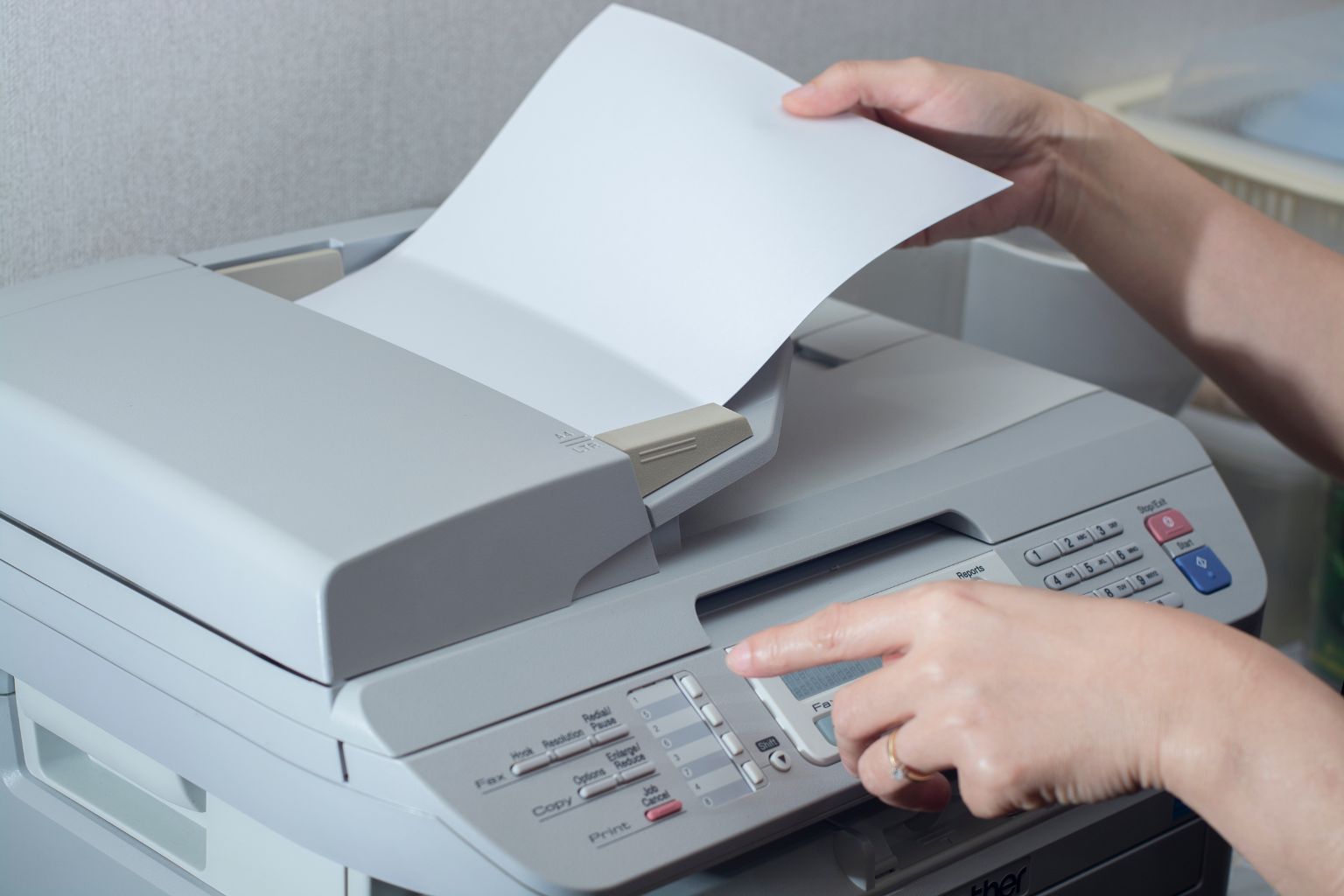
Yes. Fax remains embedded in legal practice for three reasons that have not changed.
Courts and government agencies still require it. Many state courts accept fax for specific filings. Federal agencies, including the IRS, SEC, and various state bar associations, accept or require fax for document submission. E-filing has expanded, but it has not replaced fax in every jurisdiction.
Fax transmission records prove delivery. Unlike email, where delivery confirmation depends on the recipient's mail server settings, fax produces a verifiable transmission record: time sent, pages transmitted, confirmation of receipt. This matters when a filing deadline is at stake or when opposing counsel disputes receiving a document.
Privilege protection is better understood. ABA Formal Opinion 477R establishes that attorneys must make "reasonable efforts" to protect client information during electronic transmission. Cloud fax services with TLS encryption provide a stronger privilege argument than analog fax machines transmitting over unencrypted phone lines or email sent without end-to-end encryption.
For a broader look at fax reliability across regulated sectors, see our article on fax reliability in regulated industries.
FAQs
What Is the Safest Way to Fax Legal Documents?
Use a cloud fax service with TLS encryption in transit and AES encryption at rest. This protects the document during transmission and while stored on the provider's servers. Analog fax machines send data as unencrypted audio signals over the public telephone network, which is why cloud fax is the safer option for privileged and confidential documents.
How Much Does Online Fax Cost for a Law Firm?
Most law firms pay between $10 and $40 per month, depending on volume and compliance needs. Solo practitioners sending fewer than 200 pages per month can find plans under $15/mo. Mid-size firms needing multiple lines, HIPAA compliance, and 1,000+ pages typically pay $40 to $100/mo. Free options like FaxZero exist, but cap usage at 5 faxes per day with 3 pages each and include no encryption or compliance features.
The Bottom Line
A law firm fax is not the same as a business fax. Encryption, audit trails, BAA availability, and number porting are the evaluation criteria that separate a legal-grade service from a generic one. Most firms will narrow their decision to two or three services based on whether they handle PHI, how many pages they send per month, and whether they need to keep existing fax machines.
We've spent 30+ years building fax infrastructure for regulated industries. Our SecureFax-ATA is the only hardware adapter on this list that bridges physical fax machines to encrypted cloud transport without replacing existing equipment. Every plan includes TLS encryption, BAA signing, full audit trails, and up to 7 years of fax storage.
See how FaxSIPit handles compliance-first fax for law firms →