




Microsoft Teams can be HIPAA compliant, but it is not compliant out of the box. Teams meets HIPAA only when three things are true at the same time: your organization is on an eligible paid Microsoft 365 plan, Microsoft's Business Associate Agreement (BAA) is in force, and you have configured the security controls yourself. Miss any one of the three and you do not have compliance.
That framing matters because most people search for a simple yes or no. There is no "HIPAA-certified" version of Teams to buy, and no badge Microsoft can hand you. Compliance is a state you reach through licensing, a signed agreement, configuration, and how your staff actually use the tool.
We built FaxSIPit as a HIPAA-compliant cloud fax platform for regulated healthcare, legal, and finance teams, including a Microsoft Teams integration that puts our fax platform inside Teams itself. This guide reflects what we see those teams get right and wrong about Teams and protected health information (PHI).
Key Takeaways
Teams is not HIPAA compliant by default. It becomes compliant only on a qualifying paid Microsoft 365 plan, with Microsoft's BAA in force, and after you configure the required security controls.
Free and consumer Teams can never carry PHI. Those tiers are not covered by Microsoft's BAA, so using them to handle patient data is a HIPAA violation by definition.
The BAA is automatic, the configuration is not. Microsoft's BAA comes bundled through its Data Protection Addendum, but the full configuration burden (access controls, DLP, MFA, audit logging, retention) falls on your organization.
Audit-log retention is the gap teams miss. Microsoft Purview Audit (Standard), which comes with most Microsoft 365 plans, keeps audit records for 180 days. Audit (Premium) on E5 extends Microsoft Entra ID, Exchange, OneDrive, and SharePoint records to one year, and reaching 10 years takes a separate per-user add-on license. Decide how long you need Teams audit records before you assume the default covers you.
Even fully compliant Teams has no native fax. HIPAA-grade fax is still required for referrals, prescriptions, and records, which is where a dedicated HIPAA-compliant cloud fax service fits alongside Teams.
Is Microsoft Teams HIPAA Compliant? The Short Answer
Microsoft Teams is HIPAA compliant only when it is licensed, covered by a BAA, and configured correctly. It is not compliant on its own. The U.S. Department of Health and Human Services does not certify any software as "HIPAA compliant," so no vendor, Microsoft included, can sell you a finished compliant product. Microsoft states plainly in its own HIPAA and HITECH compliance documentation that "using Microsoft services doesn't on its own achieve HIPAA compliance," and that "there's currently no certification standard that the Department of Health and Human Services approves to demonstrate compliance with HIPAA or the HITECH Act by a business associate."
The practical takeaway is that compliance describes how you deploy and use Teams, not what you purchased. A hospital and a home user can hold the identical Teams app, and one setup can be compliant while the other is a violation. Compliance is something you build on top of the app, through the right plan, agreement, and controls.
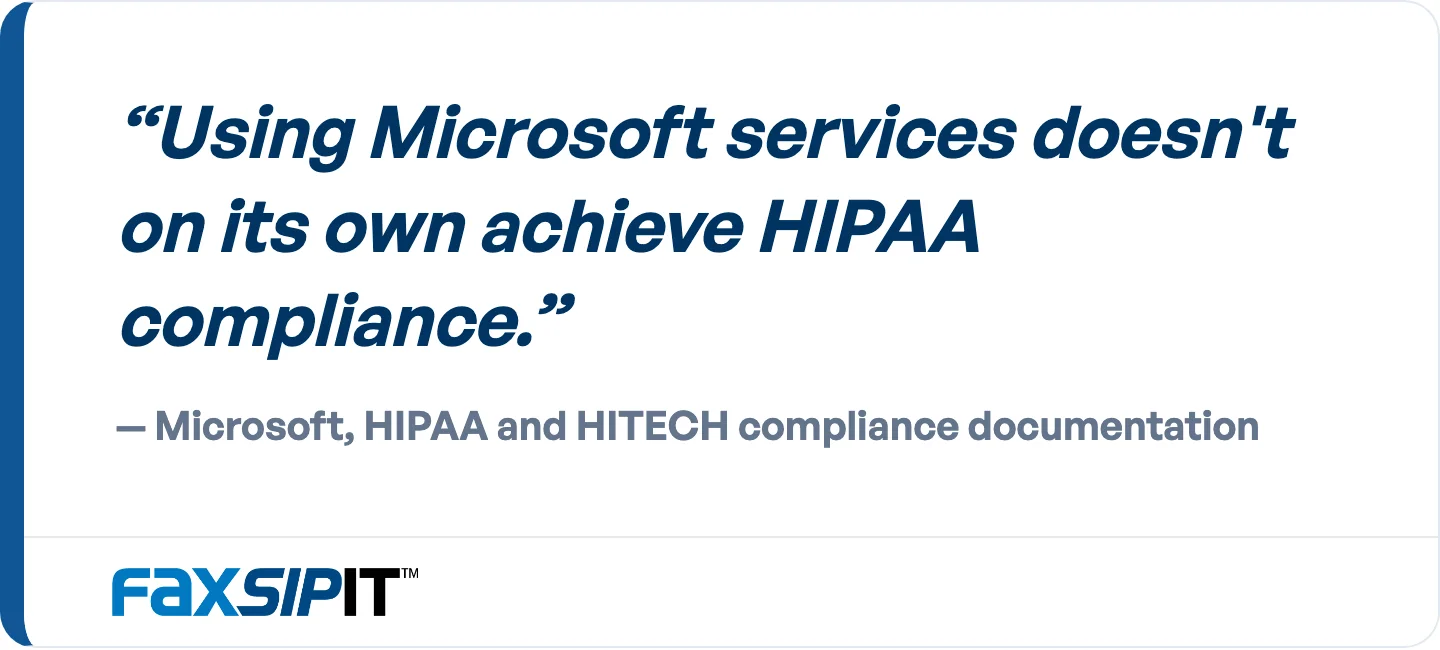
Microsoft says it plainly in its own HIPAA and HITECH compliance documentation.
This is why every honest answer to the question is conditional. Teams can support PHI safely, provided you meet the requirements below.
What HIPAA Compliance Actually Requires From Teams
Three requirements have to hold at once for Teams to handle PHI compliantly:
An eligible paid Microsoft 365 or Office 365 plan. Free and consumer tiers are excluded.
Microsoft's Business Associate Agreement in force. This is what makes Microsoft legally accountable as your Business Associate.
Security controls configured to satisfy the HIPAA Security Rule. Microsoft encrypts Teams data in transit and at rest by default. Access controls, data loss prevention, logging, and retention are yours to configure.
Skip any one of these and compliance does not exist, no matter how careful you are elsewhere. A signed BAA on a misconfigured tenant is not compliant. A perfectly configured tenant on a free plan is not compliant either.
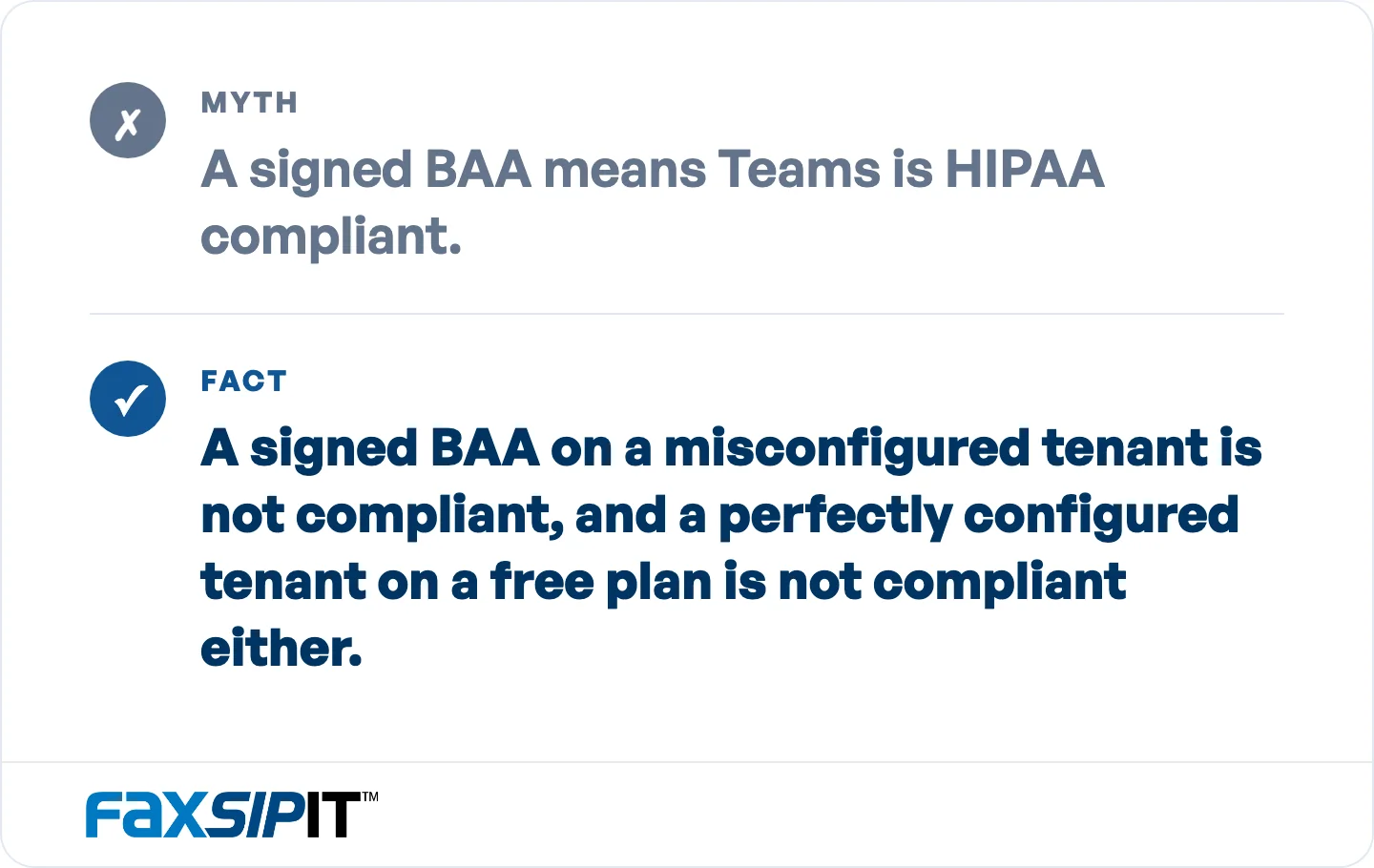
All three conditions have to hold at once: eligible paid plan, BAA in force, and configured controls.
The reason the burden lands on you comes down to roles under HIPAA. Microsoft is the Business Associate. Your organization is the covered entity, or a business associate in your own right if you handle PHI on someone else's behalf. The BAA sets out Microsoft's duties, but the configuration and day-to-day use sit entirely with you and your IT team. Understanding that split is the difference between assuming Teams is "handled" and actually locking it down.
Which Microsoft 365 Plans Support HIPAA-Compliant Teams
HIPAA-compliant Teams requires a paid commercial Microsoft 365 or Office 365 plan. Microsoft's BAA covers Teams across its commercial plans, so plan choice is not really about BAA eligibility. It is about whether the plan carries the security controls the Security Rule expects you to configure. Business Basic and Business Standard are covered by the BAA but lack the identity and device controls most compliance programs rely on. For organizations under 300 users, Business Premium is the practical floor. E5 adds advanced Data Loss Prevention and Audit (Premium) retention, which matters for the audit-log discussion below.
Free and consumer tiers are never eligible. Free Teams, personal Microsoft accounts, Outlook.com, and consumer OneDrive do not fall under Microsoft's Data Protection Addendum, so they cannot legally carry PHI. Using a free or personal account to send patient information is a HIPAA violation by definition, not a gray area you can configure your way out of.
Microsoft 365 plan | Covered by Microsoft's BAA? | Practical for HIPAA Teams? |
|---|---|---|
Free / personal Teams | No | No. Cannot carry PHI. |
Business Basic / Standard | Yes | Thin. Lacks Conditional Access and Intune. |
Business Premium | Yes | Yes. Practical floor for smaller organizations. |
Microsoft 365 / Office 365 E3 | Yes | Yes. Audit (Standard), 180-day retention. |
Microsoft 365 / Office 365 E5 | Yes | Yes. Adds advanced DLP and Audit (Premium). |
One caveat on frontline and lower-tier business plans: some do not include the full identity and access management controls HIPAA configuration depends on. Confirm your specific plan supports conditional access, DLP, and audit logging before you assume it is HIPAA-capable. Plan capabilities change, so verify against your current subscription as of the time you deploy.
Microsoft's HIPAA BAA: How to Get It and Verify It
Microsoft's HIPAA BAA is included automatically for eligible plans through the Microsoft Online Services Data Protection Addendum (DPA). You do not request or negotiate a separate document. Microsoft's compliance documentation confirms the BAA "is available through the Microsoft Online Services Data Protection Addendum by default to all customers who are covered entities or business associates under HIPAA." Because it is bundled into the DPA, subscribing to a qualifying plan means you have already accepted it.
You do not request or negotiate it. Subscribing to a qualifying plan means you have already accepted it.
As The HIPAA Journal notes, Microsoft does not sign individual or custom BAAs. The terms are standardized and apply as written. That take-it-or-leave-it structure is normal for hyperscale cloud providers, and it means your compliance work is about configuration and use, not contract negotiation. The BAA covers Microsoft's in-scope commercial services, including Teams, Exchange Online, SharePoint Online, OneDrive for Business, and Azure.
You can confirm your BAA status in the Microsoft 365 admin center. Check it before you begin handling PHI in Teams, because the agreement only applies to eligible services on eligible plans.
How to Configure Teams for HIPAA Compliance
Configuration is where most compliance gaps appear, because Microsoft hands you the tools but does not turn them on for you. Work through these controls in your tenant:
Enforce access controls. Require multi-factor authentication (MFA) for every user with PHI access, and use Conditional Access to limit sign-ins to managed, authorized devices. Restricting Teams to devices approved through security groups is a practical way to keep PHI off personal hardware.
Turn on Data Loss Prevention (DLP). DLP policies detect and block PHI from being shared with the wrong people or outside the organization. This is your safety net against accidental disclosure.
Enable audit logging and plan retention deliberately. Audit logging tracks who accessed what. The catch is how long those records live. Microsoft Purview Audit (Standard), included with most Microsoft 365 plans, retains audit records for 180 days. Audit (Premium) on E5 retains Microsoft Entra ID, Exchange, OneDrive, and SharePoint records for one year by default and lets you write custom retention policies. Ten-year retention requires an additional per-user add-on license on top of E5. Separately, HIPAA requires six years of retention for required documentation such as policies, procedures, and risk analyses under 45 CFR 164.316(b)(2)(i). Work out what your own policy needs from Teams audit records, then either license for it or export the records to an archive you control.
Lock down external sharing and guest access. Review guest permissions and external sharing settings so PHI cannot leak through open channels or shared links.
Govern mobile and app access. Use device management and sensitivity labels to control how PHI is reached from phones and tablets, and to keep it inside compliant apps.
Train your workforce. The BAA covers Microsoft's obligations, not your staff's behavior. Established communication habits are hard to change, so pair configuration with training on what can and cannot be shared in Teams.
Configuration is ongoing, not a one-time switch. Settings drift, plans change, and new users get added, so review these controls on a schedule rather than treating the initial setup as permanent.
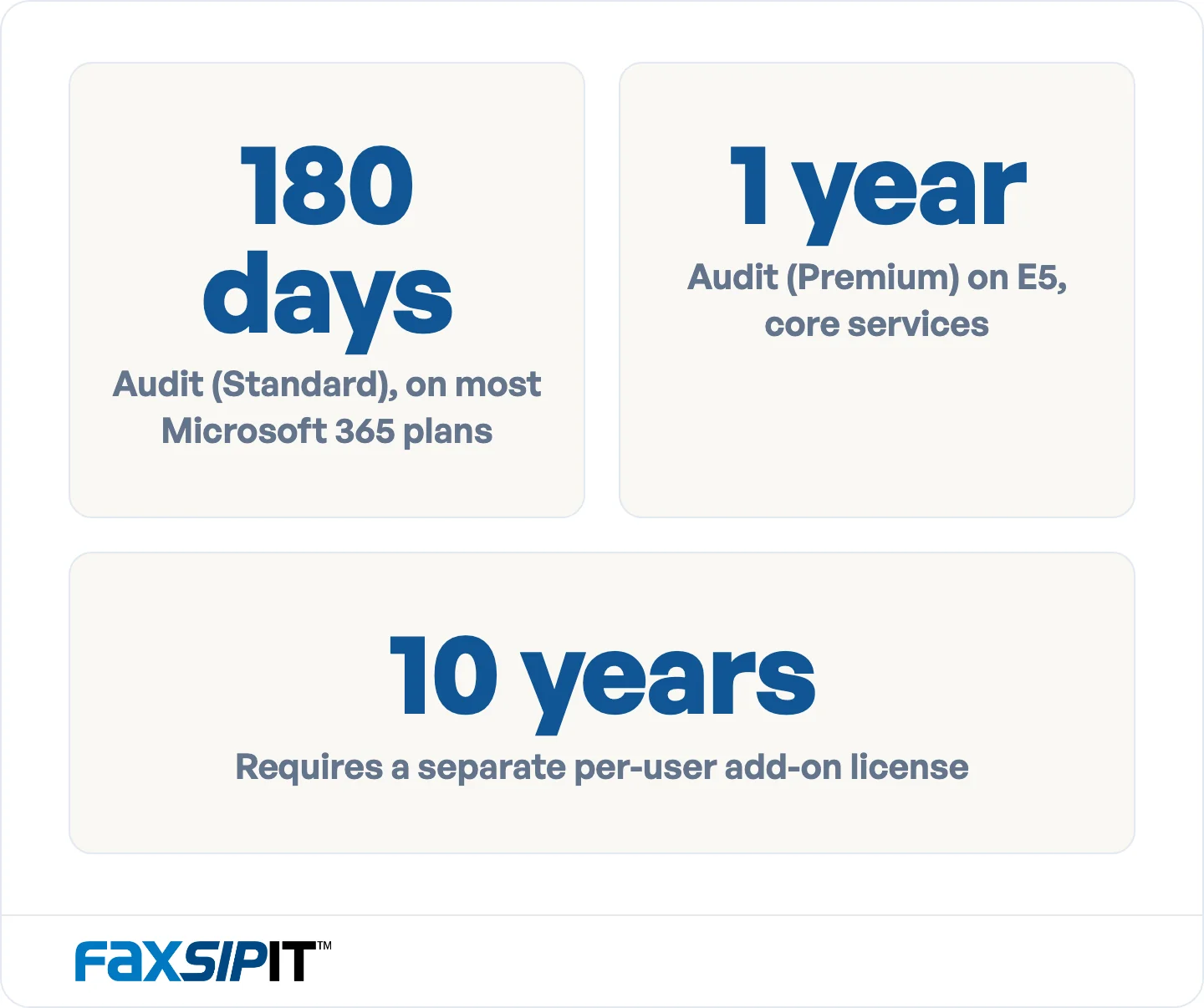
How long Teams audit records survive, by license. Decide your retention window before you assume the default covers it.
Using Microsoft Teams for Telehealth
Microsoft Teams can be used for telehealth when it is on an eligible plan, covered by the BAA, and configured for PHI. Video visits carry protected health information the same way a chart does, so the meeting layer needs the same discipline as the rest of your tenant. Standard Teams video visits run on eligible plans including Business Premium. Calling features work differently: Teams Phone, which provides the PBX layer, is a separate add-on license on every plan except E5, where it is included by default. Connecting to the public telephone network needs a Calling Plan, Operator Connect, or Direct Routing on top of that. Confirm both before you assume your plan covers the calling your workflow depends on.
Two controls matter most for patient-facing meetings. First, verify patient identity before sharing any PHI in a call, since a Teams meeting link alone does not confirm who joined. Second, tighten meeting settings so uninvited participants cannot enter and recordings are handled under your retention rules. For organizations with an electronic health record (EHR), the Teams EHR connector integrates with Epic and Oracle Health (formerly Cerner), letting clinicians launch visits directly from the patient record. That keeps the telehealth workflow inside the compliant environment you have already configured.
What Compliant Teams Still Cannot Do: The Fax Gap
Even a fully compliant Teams tenant has no native fax, and fax is still required across healthcare, legal, and finance. Referrals, prescriptions, signed orders, records requests, and payer document exchange routinely move by fax because the receiving systems expect it and the law often recognizes it. Teams handles chat, meetings, and file sharing well, but it does not send or receive an FCC-compliant, HIPAA-grade fax. Configuring Teams perfectly does not close that gap. It leaves it exactly where it was.
Referrals, prescriptions, signed orders, and records requests still move by fax, and configuring Teams does not change that.
We built FaxSIPit to close it: our HIPAA-compliant cloud fax platform, built to plug into the Microsoft tools your team already runs, including Teams, Outlook, and Copilot. We secure each transmission with TLS encryption in transit, keep a full audit trail for every fax, and let you set retention to match your compliance window, with a signed BAA on every plan. Fax reliability and compliance are the whole of what we do here, not a feature bolted onto a voice or chat product, so we handle the parts of a PHI workflow Teams was never built for.
Our Microsoft Teams integration puts our fax platform inside Teams, so staff send, receive, and track fax without leaving the interface they already use. The retention logic mirrors the Teams work above: whatever retention window your compliance policy sets for Teams records applies to fax transmission records too, and both need to survive an audit years later. If your workflows still depend on fax, see how we handle HIPAA-compliant fax and fax inside Microsoft Teams. For a deeper look at where Teams, Zoom, and fax fit together, our Teams vs Zoom fax strategy guide breaks down the trade-offs.
What Is Changing: The Proposed HIPAA Security Rule Update
The 2025 HIPAA Security Rule update is a proposed rule, not current law. The Office for Civil Rights published the Notice of Proposed Rulemaking in the Federal Register on January 6, 2025, and the comment period closed on March 7, 2025. As of 2026 it has not been finalized and is not being enforced, and the targeted date for final action has moved to July 2027. Those timelines are non-binding, so treat the update as pending rather than imminent.
OCR continues to enforce the current Security Rule today. If the update is finalized as proposed, it would tighten technical safeguards, with measures such as mandatory MFA, encryption, and stricter documentation. Many of those are already best practice for HIPAA-compliant Teams, so a tenant configured well now is likely ahead of where the rule is heading.
Frequently Asked Questions
Is Microsoft Teams HIPAA compliant out of the box?
No. A fresh Teams tenant handles PHI no more safely than a consumer chat app. What makes it compliant is licensing that carries the right controls, Microsoft's BAA applying to your services, and an admin actually turning the controls on. The third one is where organizations stall.
Is the free version of Microsoft Teams HIPAA compliant?
No, and it never can be. Free and personal Microsoft accounts are consumer services that fall outside Microsoft's Data Protection Addendum and BAA. Using free Teams to handle patient data is a HIPAA violation by definition.
Does Microsoft sign a BAA for Teams?
Yes, automatically. Microsoft's HIPAA BAA is included through its Online Services Data Protection Addendum for eligible commercial plans and covers Teams among other in-scope services. Microsoft does not sign individual or custom BAAs, and you can verify your status in the Microsoft 365 admin center.
Which Microsoft 365 plan do I need for HIPAA-compliant Teams?
A paid commercial plan such as Microsoft 365 Business Premium, E3, or E5. Business Premium is the practical minimum for smaller organizations. E5 is the tier that changes the compliance math: it adds advanced DLP, Audit (Premium) with one-year retention for core services, and Teams Phone by default. Teams Phone is a paid add-on on every other plan.
Can Microsoft Teams be used for telehealth?
Yes, when it is licensed, covered by the BAA, and configured for PHI. Standard video visits run on eligible plans including Business Premium, though some phone-calling features require a higher tier, and you should verify patient identity and secure meeting settings before sharing any protected health information in a visit.
Can I send a HIPAA-compliant fax from Microsoft Teams?
Not natively. Teams has no built-in fax, so it cannot send an FCC-compliant, HIPAA-grade fax on its own. Closing that gap takes a dedicated HIPAA-compliant cloud fax service. We built our Teams integration for exactly this, so staff work with fax inside the Teams interface they already use.
The Bottom Line
Microsoft Teams is HIPAA compliant only when three things line up: an eligible paid Microsoft 365 plan, Microsoft's BAA in force, and security controls you configure yourself. It is never compliant on a free tier, and it is never compliant simply because you bought a license. Treat compliance as a deployment you own, review it on a schedule, and watch the audit-log retention gap that catches so many teams.
Teams also cannot fax, and fax stays legally required across the workflows regulated organizations run every day. When your PHI still moves on paper and phone lines, we close that gap with FaxSIPit, our purpose-built HIPAA-compliant cloud fax service, which brings encrypted transport, audit trails, and a Teams integration that keeps faxing in one place. See how our cloud fax platform rounds out a compliant Teams deployment.