



To send a HIPAA-compliant fax, route every transmission through an online fax service that has signed a Business Associate Agreement, encrypted the connection in transit, captured the audit log, and verified the recipient before the page leaves your queue. Anything less and online faxing puts protected health information on a path the Security Rule does not authorize — the start of most HIPAA compliance failures.
This guide on how to send a HIPAA-compliant fax is the operator playbook for HIPAA-compliant faxing. Four decisions determine whether a transmission meets HIPAA: pick a HIPAA-compliant fax vendor that will sign a BAA, set up access controls and user authentication, send through a secure fax workflow with HIPAA-compliant cover sheets to a verified recipient, and capture an audit log on the way out. Each step ties to a safeguard required by 45 CFR Part 164.
FaxSIPit builds compliant cloud fax for healthcare organizations and other regulated teams in legal, finance, and insurance. The platform has signed BAAs at scale since 2011 with native integrations for Gmail, Outlook, Microsoft Teams, Microsoft 365 Copilot, Zoom, and Google Workspace. The workflow below mirrors how operators set up online faxing inside a portal, an email gateway, or an integration. Done right, online faxing through a HIPAA-compliant fax platform replaces unsecured channels with a defensible audit trail.
Key Takeaways
Use a compliant online fax service. Consumer tools and traditional fax machines miss the audit, encryption, and access controls the Security Rule requires.
Sign a Business Associate Agreement before you transmit PHI. Without a signed BAA, the workflow is non-compliant regardless of the technology underneath.
Encrypt every transmission in transit. TLS 1.2 or higher is the practical baseline for any fax that touches an IP network.
Verify the recipient's fax number before sending. Misdirected faxes are one of the most common HIPAA breaches involving fax, and the breach exception is narrow.
Capture an audit log for every transmission. A confirmation page is not an audit trail under 45 CFR 164.312(b). The log must capture sender, recipient, timestamp, page count, and status.
Can You Fax PHI Under HIPAA?

Yes. HIPAA regulations permit faxing PHI for treatment, payment, and healthcare operations when reasonable administrative, technical, and physical safeguards are in place. The HHS Office for Civil Rights states this directly in its faxing FAQ: covered entities must have reasonable protections in place for patient information disclosed via fax.
Two HIPAA regulations govern fax workflows. The Privacy Rule controls when and to whom PHI can be disclosed, including the minimum necessary standard at 45 CFR 164.502(b). The Security Rule controls how electronic PHI must be safeguarded in transit and at rest. Cloud-based fax services, fax-over-IP, T.38, and any networked multifunction printer fall inside the Security Rule's scope.
A fax sent over a dedicated phone line technically falls outside the Transmission Security Standard's electronic-network scope. In practice, almost no modern fax workflow stays purely analog — the analog line typically connects to an IP gateway downstream. Treat every workflow as in-scope by default.
How to Send a HIPAA-Compliant Fax in 7 Steps
Each step ties to a specific safeguard. Done in order, they cover the operational requirements for HIPAA-compliant faxing of PHI without creating a breach.
1. Choose a HIPAA-compliant online fax service that will sign a BAA
Confirm the vendor will sign a BAA before you create an account. Free and consumer-grade fax services rarely qualify; a service marketing "HIPAA-friendly" features without a signed BAA does not meet the bar. Ask for the BAA in writing and review it before you transmit PHI.
The right vendor offers BAA signing on every paid plan, not just enterprise contracts. Solo practices and small clinics face the same HIPAA compliance obligations as hospital systems. A cost-effective HIPAA-compliant service that signs a BAA on its $14.99/month plan is materially safer than a free tool that won't sign one.
2. Sign the BAA before sending PHI
A BAA is the contractual chain that lets a covered entity legally hand PHI to a third party. The agreement is required under 45 CFR 164.502(e); contract provisions live at 45 CFR 164.504(e). HHS publishes sample BAA provisions as a baseline.
A compliant business associate contract must require the business associate to safeguard PHI, limit use to scope, report any breach, ensure subcontractors apply equivalent protections, and return or destroy PHI at termination. Until signed, every fax containing PHI risks violating HIPAA. Violating HIPAA at this stage is unforced — the BAA is paperwork, not a technical hurdle. Many vendors only sign with a designated business associate contact.
3. Set up unique user accounts and access controls
45 CFR 164.312(a) requires technical policies that allow access only to persons or programs granted access rights.
Assign every user a unique account. No shared logins. Configure role-based access so the person who can send PHI is not necessarily the one who can edit the trusted-recipient directory. Enable multi-factor user authentication on every login. Set automatic logoff for shared workstations. Strong authentication, paired with access controls, is the foundation of data security in a compliant workflow.
Take a few minutes to audit your fax security posture before you go live. Authentication gaps and weak data security are the easiest issues to close.
4. Prepare the document and a HIPAA-compliant fax cover sheet
Apply the minimum necessary standard. Send only the pages required for the disclosure. Treatment disclosures between healthcare providers are exempt from minimum necessary, but every other disclosure is not.
Attach a fax cover sheet that includes sender and recipient name, organization, and fax number; date, time, and page count; a brief non-clinical purpose; and a confidentiality disclaimer with destruction instructions. The cover page itself contains no PHI. Compliant cover sheets keep medical records, lab values, and other sensitive information off the first page anyone near the receiving fax machine might read. Treat it like a cover letter on a sealed envelope: it identifies the parties without disclosing the contents.
5. Verify the recipient's fax number against an approved directory
Recipient verification against the recipient's fax number is the single most effective control against the most common breach: PHI sent to the wrong number. HIPAA does not prescribe one method, but reasonable verification consistently includes confirming against an approved internal directory, using preprogrammed numbers for frequent recipients, reading the destination back to patients who provide it by phone, and applying a buddy-check for sensitive disclosures.
Re-verify whenever a recipient changes practice, line, or address. The breach exception under 45 CFR 164.402 only applies when the covered entity can show a low probability of compromise. A misdirected single fax that printed at a working number on the other end almost never meets that bar.
6. Send through the encrypted infrastructure
Submit through the cloud platform's web portal, email-to-fax gateway, or workflow integration. Each path uses TLS encryption, so the transmission is protected in motion. The same posture applies whether the operator submits from a browser, from Gmail with a Gmail integration, from Outlook, or from inside Microsoft Teams or Zoom. Online faxing from a phone or tablet matters for clinical staff on call; online faxing from a desktop covers everyone else.
The result is encrypted faxes that move through audited infrastructure rather than unsecured side channels. Encrypted faxes alone do not equal HIPAA compliance, but they are non-negotiable. A secure fax workflow routes the document into an audit trail; a standalone email does neither — a secure fax setup is what auditors look for.
7. Confirm delivery and capture audit logs
Confirm receipt for any sensitive transmission, especially high-risk disclosures. Verify the platform's audit logs capture the six fields HIPAA audit logs require: sender identity, recipient identity, timestamp, page count, status, and disclosure purpose. Centralized audit trails are the only logs that survive an audit.
A confirmation page from a fax machine documents that a page was transmitted, not who sent it, to whom, and with what status. Cloud portals generate audit logs automatically and store them on infrastructure that meets the retention requirement at 45 CFR 164.530(j). Strong audit trails turn an OCR inquiry from a paper hunt into an export.
What Makes Fax Services HIPAA-Compliant?
HIPAA-compliant fax services are cloud platforms that meet seven non-negotiable capabilities: BAA signing on every plan, TLS encryption in transit, AES-256 encryption at rest, role-based access, multi-factor login, a centralized exportable audit trail, and configurable retention up to at least six years. Platforms that miss one do not belong in a PHI workflow. Two more capabilities separate operator-grade platforms from consumer-grade ones:
Per-fax delivery metadata captured automatically — sender, recipient, timestamp, page count, status, and purpose, every time.
Native integrations with workflow tools. Sending from Gmail, Outlook, Microsoft Teams, Zoom, Google Workspace, or Microsoft 365 Copilot keeps PHI out of unsecured side channels and supports secure online fax workflows.
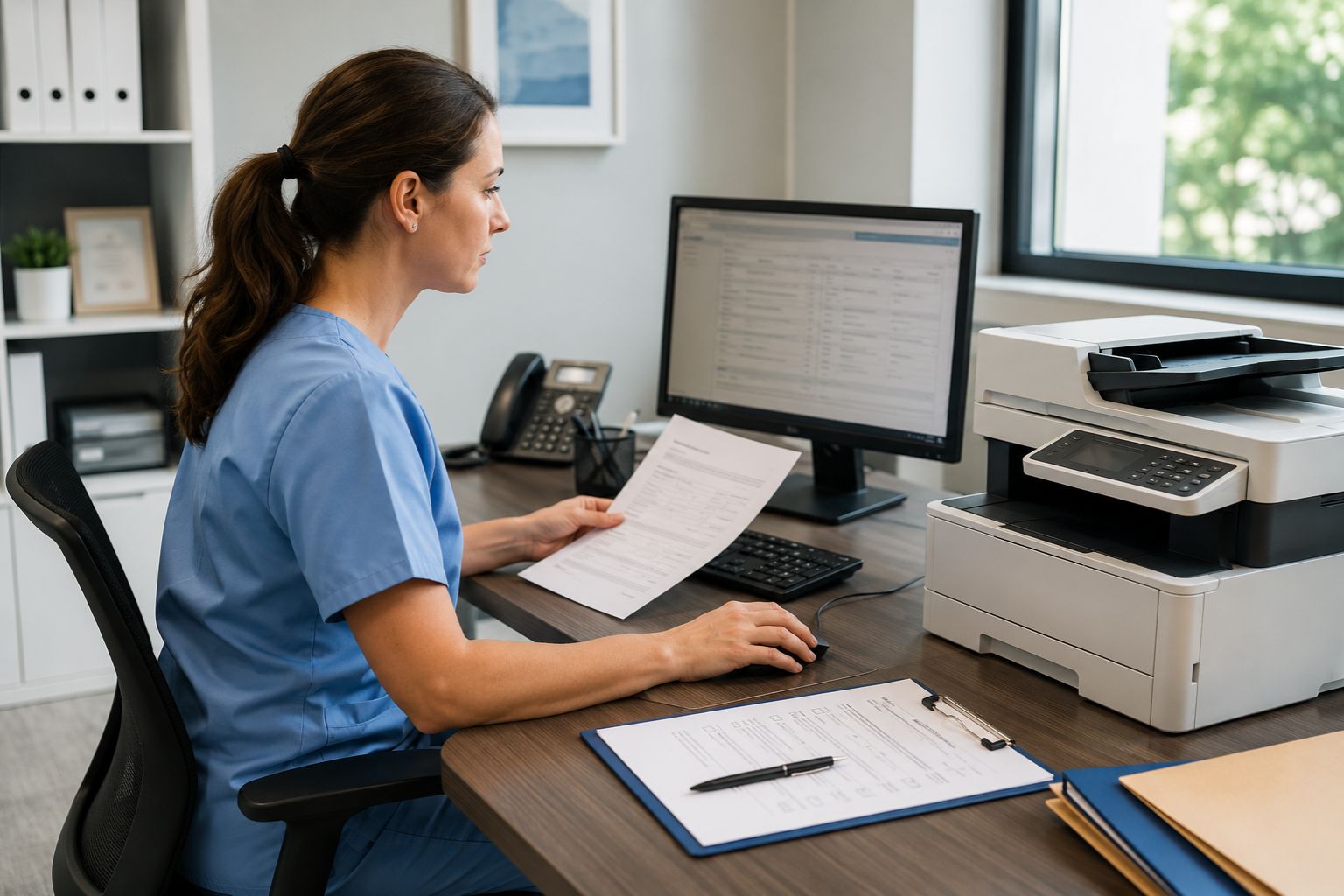
A hardware bridge for traditional fax machines and a physical fax machine on-site. Healthcare organizations with a physical fax machine that needs to stay in service can connect it to an encrypted cloud infrastructure through a SecureFax-ATA device. That preserves the workflow for medical professionals already trained on the existing fax machine.
Capability | Why It Matters |
|---|---|
BAA signing on every plan | Required under 45 CFR 164.502(e) |
TLS 1.2+ encryption in transit | Satisfies 45 CFR 164.312(e)(1) |
AES-256 encryption at rest | Protects stored fax images and image files |
Role-based access | Implements 45 CFR 164.312(a) |
Multi-factor login | Strengthens authentication |
Centralized, exportable audit trail | Required under 45 CFR 164.312(b) |
Configurable retention 6+ years | Aligns with 45 CFR 164.530(j) |
FaxSIPit meets each capability on every plan, including the Starter plan at $14.99/month. Pricing is published on the FaxSIPit pricing page; enterprise contracts are quoted directly.
For the buyer's side view of this checklist, our HIPAA-compliant fax service comparison walks through how to evaluate the field of online fax services.
Common HIPAA Faxing Mistakes to Avoid
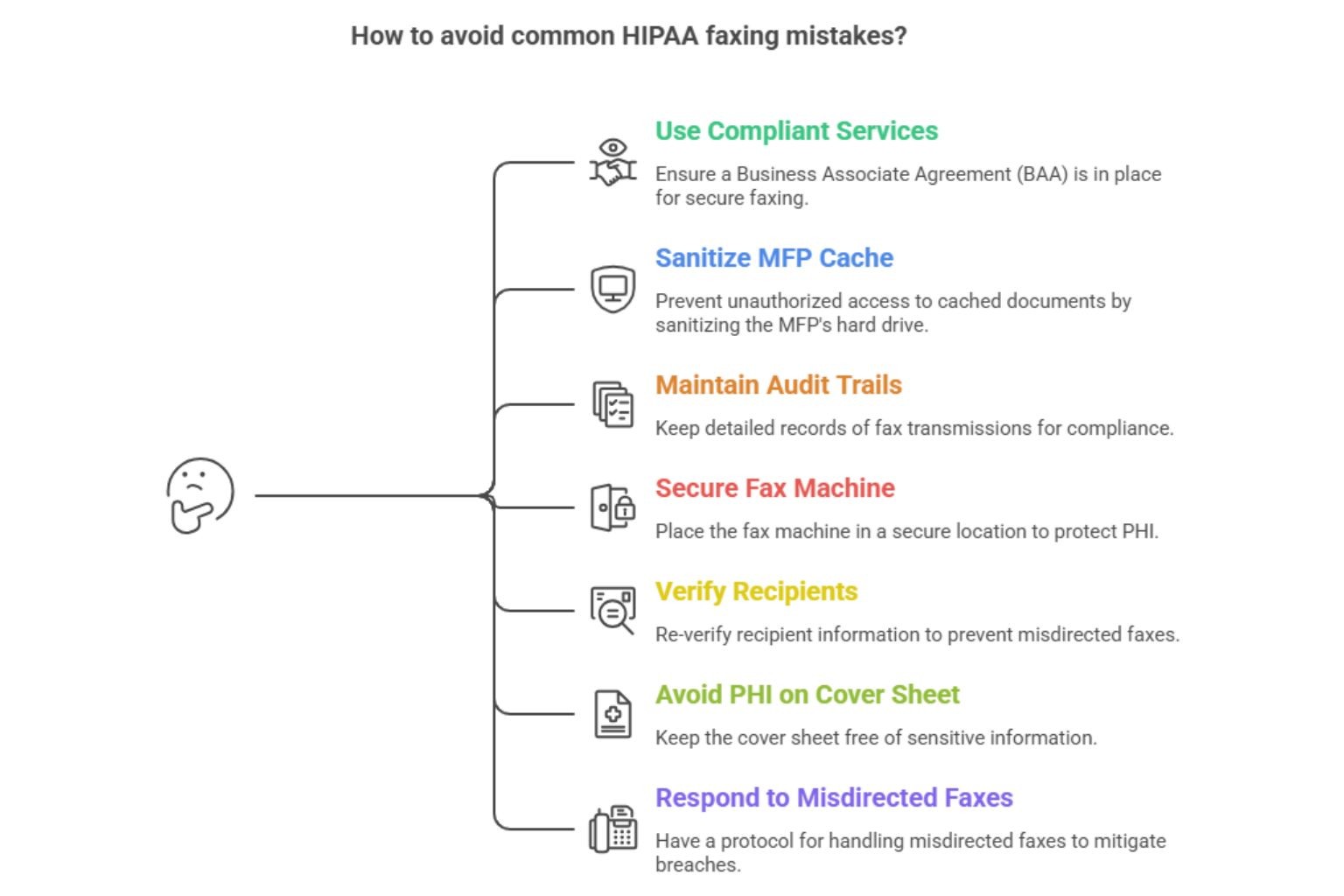
Using free services without a BAA. Transport can be encrypted and the workflow still non-compliant. The signed BAA is what makes a service legally usable for PHI.
Storing fax images on an MFP's hard drive without sanitization. MFPs cache documents locally; the cache survives lease return, resale, and disposal. 45 CFR 164.310(d) requires sanitization, and physical safeguards under that section cover storage media.
Treating a confirmation page as an audit trail. Compliant audit trails require sender, recipient, timestamp, page count, status, and purpose, retained centrally.
Leaving the fax machine in an open hallway. A fax machine belongs in a secure location — part of the physical safeguards under 45 CFR 164.310. The secure location requirement applies to inbound and outbound trays.
Skipping recipient verification on "trusted" numbers. Recipients change practice, line, or address. Re-verify whenever the record changes.
Putting PHI on the cover sheet itself. Diagnoses, lab values, account numbers, and SSNs on the cover sheet defeat the point.
Forgetting the misdirected-fax response. A misdirected fax containing PHI is presumed a breach unless the four-factor risk assessment under 45 CFR 164.402 establishes a low probability of compromise. The HHS Breach Notification Rule sets the deadlines.
Sending from Gmail, Outlook, Teams, or Zoom
Yes, you can transmit sensitive patient information through HIPAA-compliant faxing from Gmail, Outlook, Microsoft Teams, or Zoom, provided the integration routes through a service that has signed a BAA covering it. The collaboration tool is just the user interface. Compliance lives in the platform underneath, which handles encrypted transport, the audit trail, and the contractual chain that lets a covered entity transmit sensitive patient information.
Gmail and Google Workspace
Connect Gmail to a HIPAA-compliant provider that signs a BAA covering the Workspace integration. Submissions route through an encrypted infrastructure, the audit log records the transmission, and the email body never carries PHI. FaxSIPit ships native integrations for Gmail and Google Workspace.
Microsoft Outlook and Microsoft 365
Email-to-fax through a HIPAA-compliant provider lets clinical teams send from Outlook the same way they email a colleague. FaxSIPit integrates with Microsoft Outlook and Microsoft 365 Copilot.
Microsoft Teams and Zoom
Embedded integrations let users send PHI from inside the collaboration tool without exporting documents to an unsecured channel. FaxSIPit ships embedded apps for Microsoft Teams and Zoom — the latter featured as Zoom's App of the Month.
The compliance bar is the same regardless of the front-end. Confirm BAA scope, encrypted transport, and audit-trail capture before any integration goes live.
Fax Cover Sheet Requirements
A HIPAA-compliant cover sheet identifies the parties, frames the transmission as confidential, and contains zero PHI. It exists to protect sensitive information by keeping PHI off the first page anyone near a fax machine might read. Compliant cover sheets contain only the metadata needed to route the fax — they help protect sensitive information by design.
Must include: sender name, organization, contact number; recipient name, organization, fax number; date, time, page count; brief non-clinical purpose ("medical records request," "referral"); confidentiality disclaimer with instructions for misdirected receipt.
Must exclude: diagnoses, lab values, medication lists, treatment notes, Social Security numbers, full account numbers, or any other PHI.
A standard disclaimer reads:
CONFIDENTIALITY NOTICE: This facsimile transmission contains confidential information intended only for the named recipient. The information may be protected by federal and state privacy laws including HIPAA. If received in error, notify the sender immediately by telephone, do not read or distribute the contents, and destroy all received pages.
Adjust the wording, but keep the four core elements: identification as confidential, reference to applicable law, instruction to notify, instruction to destroy.
Frequently Asked Questions
Where can I send a HIPAA-compliant fax?
Through any compliant online fax service that signs a BAA and applies encryption protocols, access controls, and centralized audit logs. The fax can leave a web portal, email gateway, or integration with Gmail, Outlook, Microsoft Teams, or Zoom — compliance is the same across paths, provided the BAA scope covers the integration.
Is a free fax service HIPAA-compliant?
Most free consumer fax services do not sign a BAA, which makes them non-compliant for transmitting PHI even when the transport is encrypted. Paid SMB plans from HIPAA-compliant providers, including the FaxSIPit Starter plan at $14.99/month, sign BAAs and meet the technical safeguards required for HIPAA-compliant faxing workflows.
Can I send a HIPAA-compliant fax from Gmail?
Yes, when Gmail is connected to a compliant provider that has signed a BAA covering the Workspace integration. Gmail on its own does not satisfy HIPAA's transmission security or audit-trail requirements; the service underneath does.
Does Google Workspace include HIPAA-compliant fax services?
Google Workspace can sign a BAA covering its core services, but Workspace itself does not include native fax services. The workflow comes from a compliant integration that signs its own BAA. Healthcare providers running on Workspace typically pair it with a dedicated cloud fax integration.
Can I still use traditional fax machines for HIPAA?
Yes, with caveats. Traditional fax machines connected only to an analog line technically fall outside the Security Rule's electronic transmission scope, but most so-called traditional fax setups are bridged to IP downstream, putting the workflow back in scope. Healthcare providers running these machines on-site can keep them in service by attaching an ATA device that bridges the existing hardware to an encrypted cloud infrastructure.
Is sending a fax automatically HIPAA-compliant?
No. HIPAA compliance is about the safeguards layered on top of the transmission, not the medium. A transmission becomes HIPAA compliant only when the safeguards required by 45 CFR Part 164 are in place. The same document sent through traditional fax hardware can be compliant or non-compliant.
What happens if I misdirect a fax containing PHI?
Treat it as a presumed breach. Run the four-factor risk assessment under 45 CFR 164.402 to determine whether the disclosure must be reported. Document every step.
Can I send and receive faxes from a phone or tablet?
Yes. Compliant cloud platforms let users send faxes and receive faxes from a computer or mobile device through the same encrypted infrastructure as the web portal. As long as the BAA covers the mobile workflow, online faxing from a phone or tablet is no less compliant than online faxing from a desktop browser.
Final Thoughts
Sending a HIPAA-compliant fax is a workflow, not a checkbox. The safeguards stack: a signed BAA at the vendor layer, encryption on the transmission, role-based access at the user layer, a clean cover sheet, a verified recipient, and a centralized audit trail capturing every page. Skip any one and the workflow stops being compliant the moment PHI moves through it.
That is why regulated teams rely on FaxSIPit for HIPAA-compliant cloud fax. The platform runs on a high-capacity, geo-redundant network purpose-built for fax transmission, with dedicated infrastructure for reliability and scalable throughput, and intelligent multi-carrier retry, currently powering transmissions for 300+ channel partners across 40+ countries. AES 256-bit encryption at rest with TLS 1.3 in transit, BAA signing on every plan, a centralized audit trail, and integrations with Gmail, Outlook, Teams, and Zoom ship as part of the platform. Review our HIPAA-compliant fax solution or explore the integrations your team already uses.
Sources
https://www.hhs.gov/hipaa/for-professionals/privacy/index.html
https://www.hhs.gov/hipaa/for-professionals/security/index.html
https://www.hhs.gov/hipaa/for-professionals/breach-notification/index.html
https://www.ecfr.gov/current/title-45/subtitle-A/subchapter-C/part-164/subpart-C/section-164.312
https://www.ecfr.gov/current/title-45/subtitle-A/subchapter-C/part-164/subpart-C/section-164.310
https://www.ecfr.gov/current/title-45/subtitle-A/subchapter-C/part-164/subpart-E/section-164.502
https://www.ecfr.gov/current/title-45/subtitle-A/subchapter-C/part-164/subpart-E/section-164.504
https://www.ecfr.gov/current/title-45/subtitle-A/subchapter-C/part-164/subpart-E/section-164.530
https://www.ecfr.gov/current/title-45/subtitle-A/subchapter-C/part-164/subpart-D/section-164.402
https://nvlpubs.nist.gov/nistpubs/SpecialPublications/NIST.SP.800-66r2.pdf
https://ocrportal.hhs.gov/ocr/breach/breach_report.jsf