Getting Started with the FaxSIPit Service Center
Getting Started





The FaxSIPit Service Center is where you activate fax licenses and order fax numbers — either by selecting a new number from FaxSIPit's inventory or by moving an existing number from another platform. Once your fax services are active, day-to-day use happens in the FaxSIPit Portal (linked in the top right corner of the Service Center).
First-Time Login
After your fax license purchase is processed, you'll receive a welcome email.
Click the first link in that email.
On the page that opens, click Submit. A one-time code will be sent to your email.
Enter the code to set your password, then confirm it.
Click Go to Sign-In Page and log in with the credentials you just created.
First-Time Registration
On your first login you'll be prompted to enter your contact and business information.
If your organization requires a Business Associate Agreement (BAA), you can download it during this registration step.
Service Center Dashboard
Once logged in, the top left corner displays:
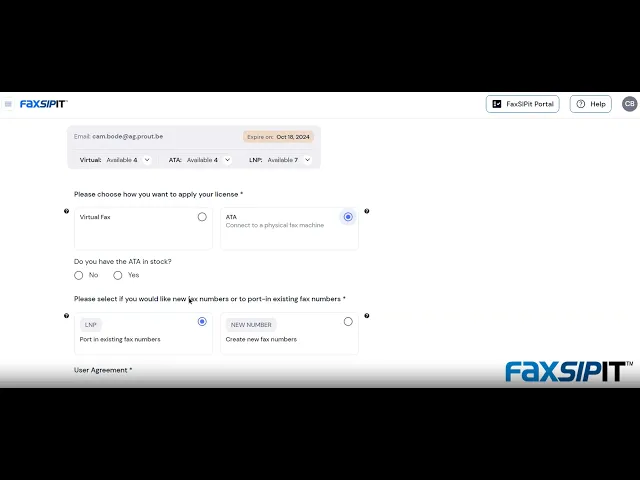
Available licenses — the number of fax licenses ready to activate
Available LNP orders — the number of port requests available for moving existing fax numbers to FaxSIPit
Placing an Order
Click Add New in the top right corner to place an order. You'll choose:
License type — Virtual Fax or ATA Fax
Number type — New number from FaxSIPit inventory, or an LNP order to port an existing number from another platform